***
title: Phone numbers
subtitle: Buy, attach, and manage numbers for inbound calling and caller ID
---------------------
For a complete documentation index, fetch https://docs.voximplant.ai/llms.txt
To make and receive calls to stationary or mobile numbers, you need a **phone number** attached to your [application](/platform/voxengine/applications). This number is essential for incoming calls and caller ID for outgoing calls.
## Buying a phone number
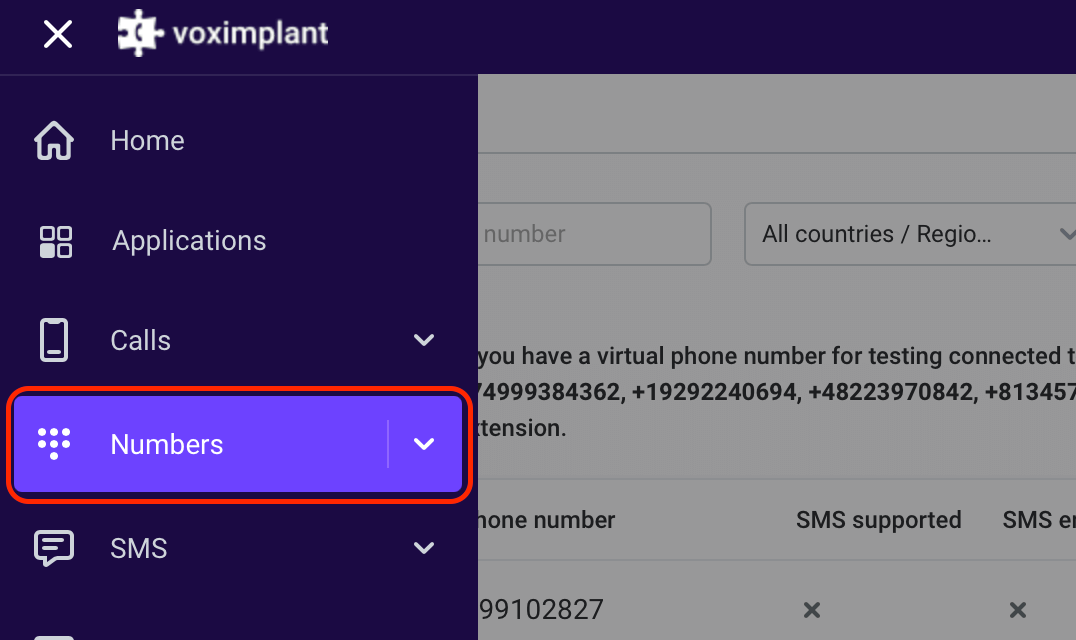
To buy a phone number, log in to your [Voximplant control panel](https://manage.voximplant.com/) and select the **Numbers** section from the main menu:
In the left upper corner, choose **Buy a new phone number**:
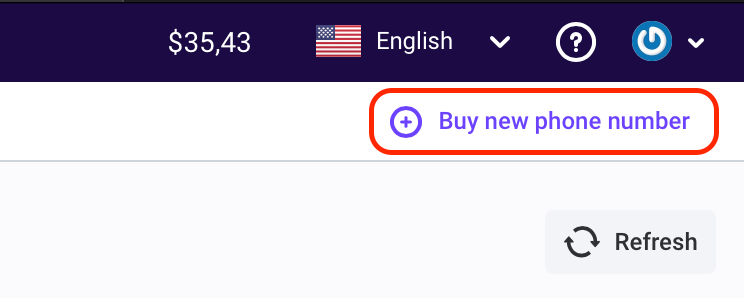
This opens a list of available phone numbers for purchase.
You can choose between **real** phone numbers and **test** ones, and specify the desired country, state, and city:
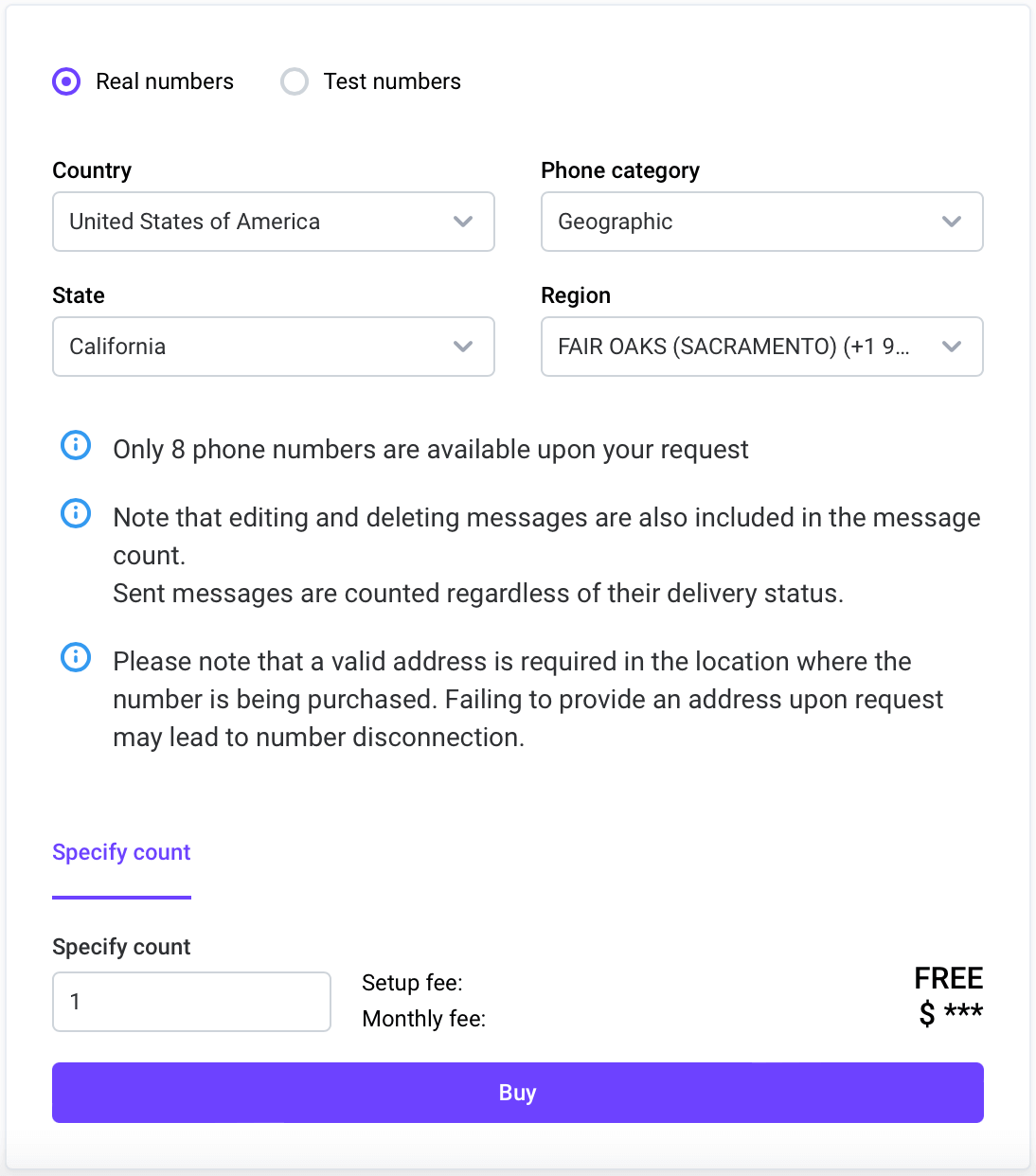
**Test phone numbers** are invaluable for testing applications and developers. To make a call to a test phone number, dial one of [Voximplant’s inner numbers](https://manage.voximplant.com/numbers/test_numbers/inbound) and enter it as an extension.
You cannot use a test phone number as your Caller ID.
Once you purchase a phone number, you can attach it to your [application](/platform/voxengine/applications) and utilize it.
## Attaching a phone number to an application
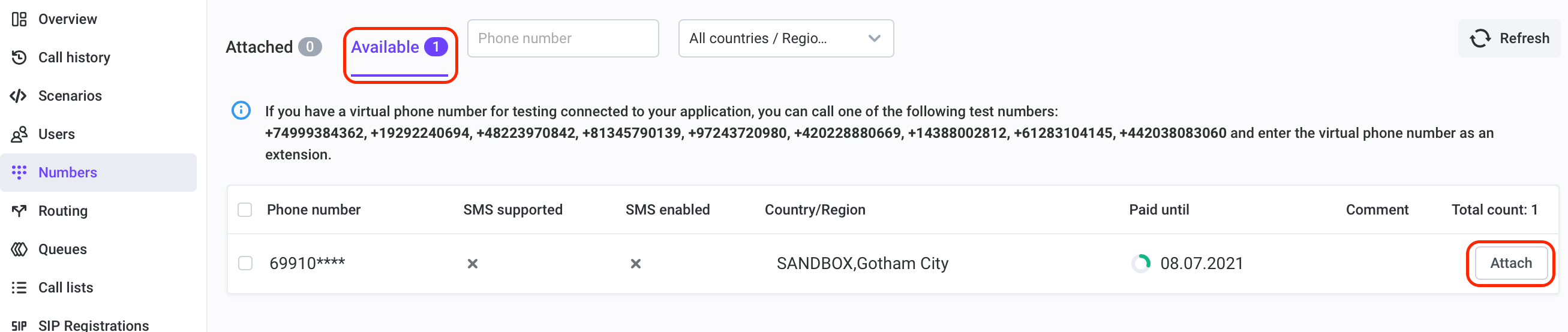
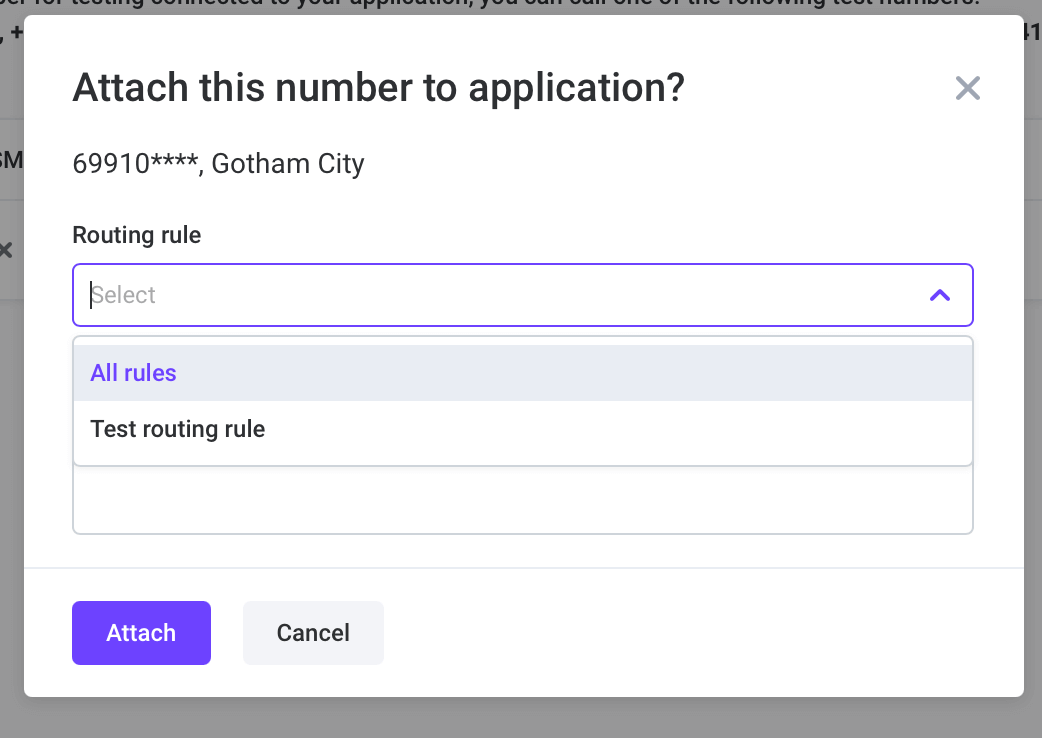
To attach a number to your application, navigate to the **Applications** section in your [control panel](https://manage.voximplant.com/), select the relevant application, and switch to the **Numbers** tab. Choose an available number and click **Attach**:
While attaching the number, you have the option to set a [routing rule](/platform/voxengine/routing-rules) or do it manually later.
You can purchase multiple numbers and assign them to multiple routing rules to process them in different ways.
**Once you attach a phone number to your application, you can make and receive calls.**
## Frequently asked questions
Check if the phone number isn’t linked to your application. Refer to the [Attaching a phone number to an application](#attaching-a-phone-number-to-an-application) section for instructions on how to do it.
Yes, you can. To achieve this, purchase a phone number on our platform, create an application, and implement the transfer logic in the scenario.
Depending on the country where you purchase a phone number, there may be varying requirements for usage. Some countries necessitate additional verification or KYC. If you purchase such a number, you’ll receive a warning about the required verification process. Alternatively, you can [contact support](https://voximplant.com/help/support) to reserve a desired phone number before the verification process begins.
Voximplant offers a wide range of countries, including mobile, stationary, and even toll-free phone numbers. However, some countries may require a KYC process before purchasing a phone number.
Depending on the country, you have the option to buy mobile, stationary, or even toll-free phone numbers for your application.
Depending on the country, you may need to undergo KYC to purchase a phone number. Please review the requirements when making a purchase.
Testing numbers are free, but to make a call using a testing number, you must first dial a Voximplant number and enter the testing number as an extension. Please note that testing numbers cannot be used as caller IDs, and there are daily and minute limits on the number of calls you can make with a testing number (100 calls per day and 3 calls per minute, respectively). In contrast, real numbers do not have these restrictions.
For more information on purchasing a phone number subscription, please refer to the [Phone number subscriptions](https://voximplant.com/docs/getting-started/billing#phone-number-subscriptions) section of our Billing page.
This means that phone numbers with the selected parameters are currently not available for self-service purchase due to telecom regulatory reasons. Please submit a request to the Voximplant Support. After receiving your request, the Voximplant Support team:
1. Checks the availability of phone numbers in the requested region
2. Informs you about purchase availability and conditions
3. Requests the documents required by the local telecom operator