/**
* Voximplant + Gemini Live on Vertex AI + MCP demo
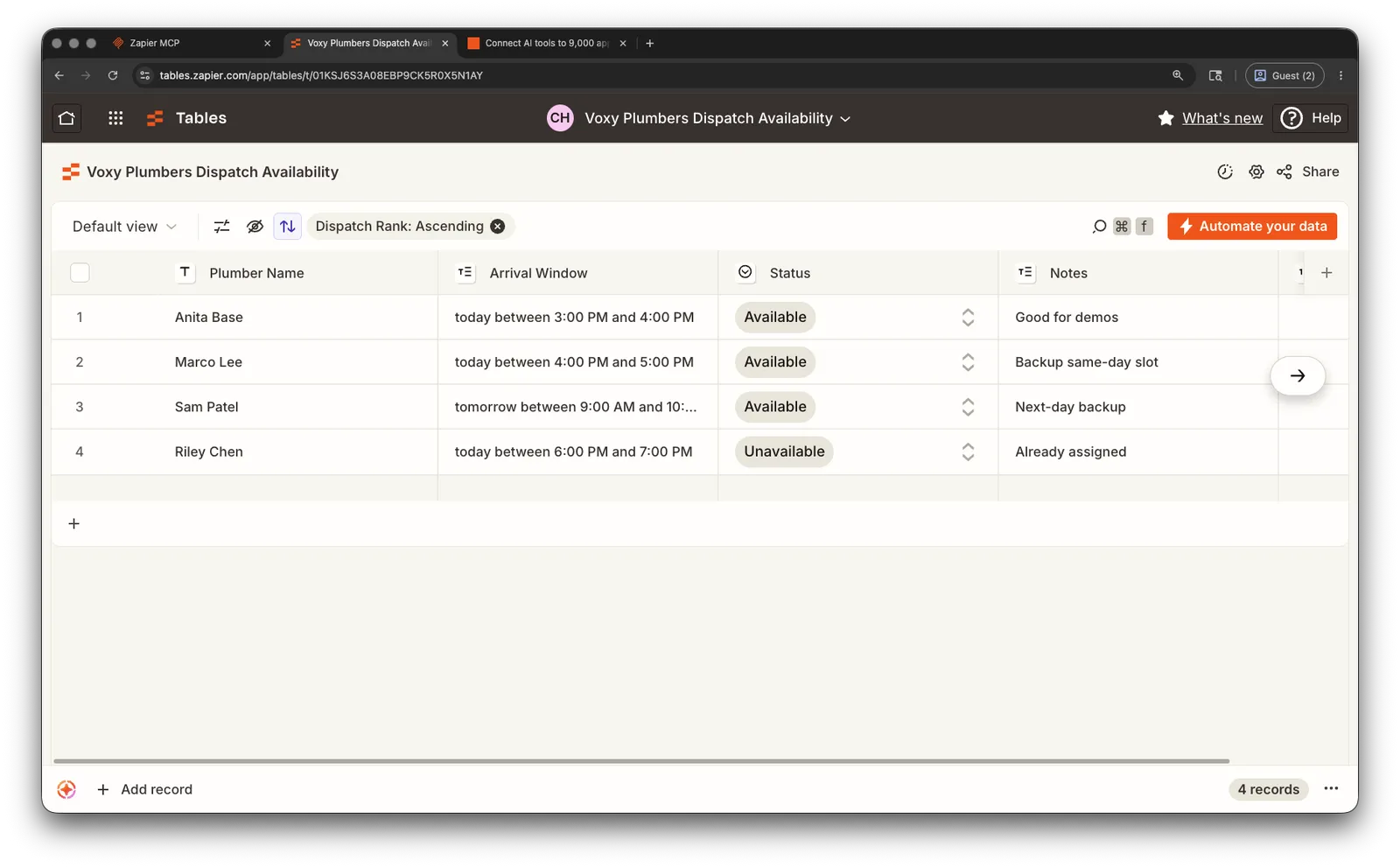
* Scenario: answer an inbound call and look up Voxy Plumbers dispatch
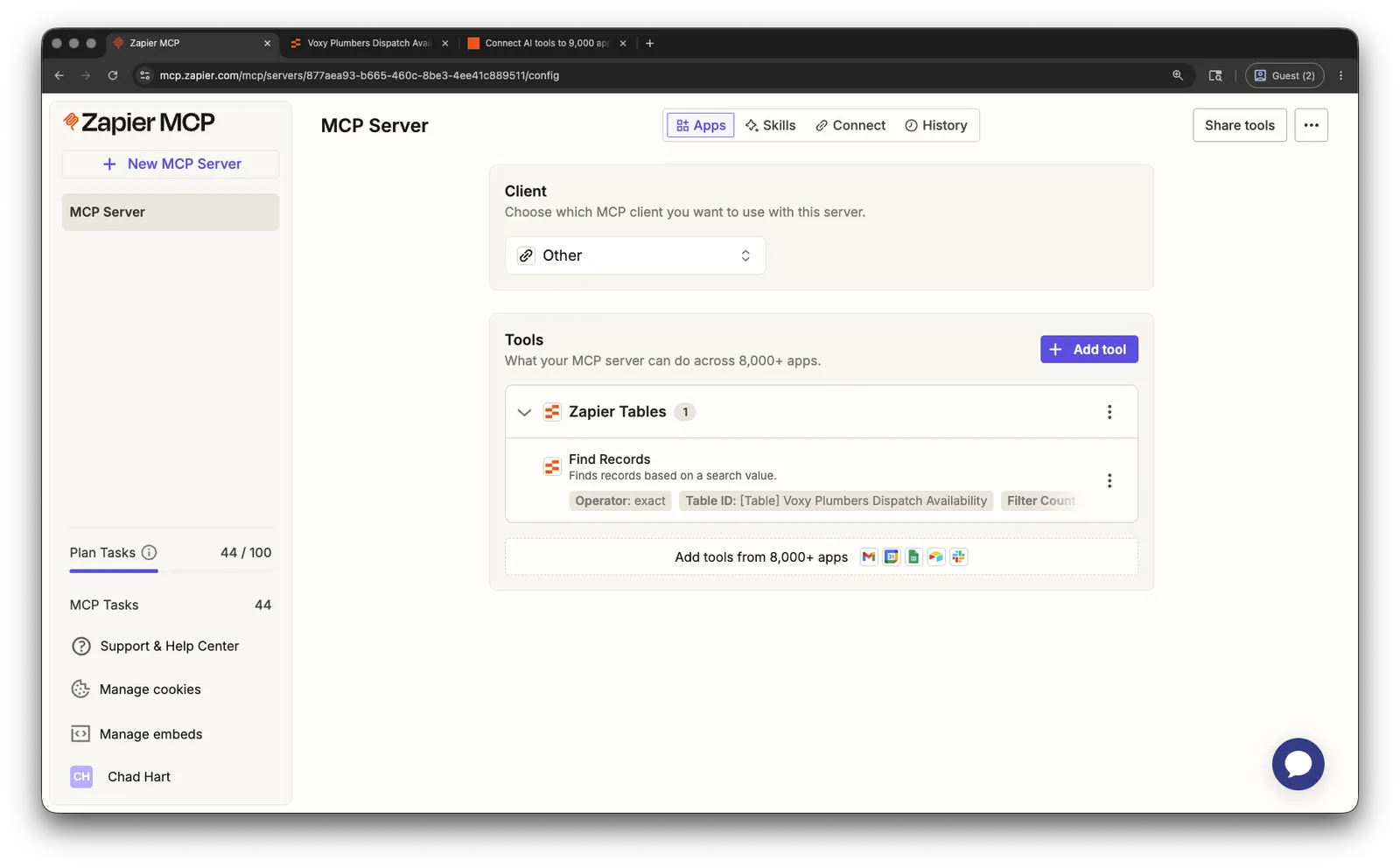
* availability from Zapier Tables through an MCP server.
*/
require(Modules.Gemini);
require(Modules.MCP);
const SYSTEM_INSTRUCTION = `
You are the warm, friendly phone assistant for Voxy Plumbers. Keep responses short and natural for a phone call.
Most responses should be under 12 words. Use very brief spoken turns. Ask one question at a time.
The golden call flow is:
1. Greet the caller mentioning Voxy Plumbers.
2. If the caller reports a plumbing problem, use the available MCP tools to check Voxy Plumbers dispatch availability in Zapier Tables.
3. Do not ask which window they prefer before checking availability.
4. Use the returned plumber name and arrival window as a suggested appointment.
5. If the caller says thanks or goodbye, briefly close and call hangup_call.
6. After the dispatch lookup, say: "Our plumber, [plumber name] is available [arrival window]. Does that work?"
Use the MCP tools to inspect the enabled Zapier action before executing it.
Do not invent MCP parameter values. If you do not know an exact selected_api, action, tool_name, table_id, or field name from an MCP result, omit that parameter.
Start by calling list_enabled_zapier_actions without filters.
Call the enabled action that reads Zapier Tables records.
Find rows in the Voxy Plumbers Dispatch Availability table where Status is Available, using the table's stored order.
Example script:
Agent: "Thanks for calling Voxy Plumbers. How can I help?"
Caller: I have a plumbing issue that I need help with.
Agent: [MCP dispatch availability lookup]
Agent: Our plumber, Alice Bob can come today between 3:00 PM and 4:00 PM.
Caller: That's good, goodbye.
Agent: Thanks for calling. We will get you some help soon. Bye [hang_up]
`;
VoxEngine.addEventListener(AppEvents.CallAlerting, async ({call}) => {
let geminiClient;
let mcpClient;
let pendingGeminiFunction;
let holdPromptPlaying = false;
let resumeGeminiAudio;
const requiredMcpTools = ["list_enabled_zapier_actions", "execute_zapier_read_action"];
// -------------------------- Helpers --------------------------
const terminate = () => {
geminiClient?.close();
mcpClient?.close();
VoxEngine.terminate();
};
// Gemini currently stays silent while an MCP call is pending,
// Zapier can take up to 20 seconds to respond, so use TTS only as a manual hold prompt.
const playHoldPrompt = () => {
Logger.write("===HOLD_PROMPT_STARTED===");
geminiClient.stopMediaTo(call);
holdPromptPlaying = true;
resumeGeminiAudio = () => {
holdPromptPlaying = false;
call.removeEventListener(CallEvents.PlaybackFinished, resumeGeminiAudio);
Logger.write("===HOLD_PROMPT_FINISHED===");
geminiClient.sendMediaTo(call);
};
call.addEventListener(CallEvents.PlaybackFinished, resumeGeminiAudio);
call.say("One moment while I check availability.", {
voice: VoiceList.Google.en_US_Chirp3_HD_Aoede,
progressivePlayback: true,
ttsOptions: {
pitch: "default",
volume: "medium",
},
request: {
audioConfig: {
speakingRate: 1.1,
},
},
});
};
const stopHoldPrompt = () => {
if (!holdPromptPlaying)
return;
holdPromptPlaying = false;
call.removeEventListener(CallEvents.PlaybackFinished, resumeGeminiAudio);
call.stopPlayback();
Logger.write("===HOLD_PROMPT_INTERRUPTED===");
geminiClient.sendMediaTo(call);
};
try {
// -------------------------- MCP setup --------------------------
Logger.write("===MCP_CONNECTING===");
mcpClient = await MCP.createClient({
mcpServerConnectionConfig: {
transport: "http",
endpoint: VoxEngine.getSecretValue("ZAPIER_MCP_URL"),
headers: {Accept: "application/json, text/event-stream"},
clientName: "voximplant-vertex-mcp-demo",
clientVersion: "1.0.0",
},
});
mcpClient.addEventListener(MCP.ServerEvents.ConnectorInformation, (event) => {
Logger.write(`===MCP_CONNECTOR_INFORMATION===> ${JSON.stringify(event.data.payload)}`);
// standard practice to list tools when connecting
mcpClient.listTools({});
});
mcpClient.addEventListener(MCP.ServerEvents.ToolsList, (event) => {
const tools = event?.data?.payload?.tools || [];
Logger.write(`===MCP_TOOLS_LIST===> ${tools.length} Tools Available:`);
// Logger.write(JSON.stringify(tools.map((tool) => `${tool.name}: ${tool.description}`)));
// Logger.write(JSON.stringify(tools)); // full tool object
// These are the only 2 Zapier tools we need for this Agent, so keep the
// MCP schemas but replace Zapier's broader management-tool descriptions.
const mcpFunctionDeclarations = tools
.filter((tool) => requiredMcpTools.includes(tool.name))
.map((tool) => ({
name: tool.name,
description: tool.name === "list_enabled_zapier_actions"
? "List enabled Zapier actions and their exact action keys. Use only the tools available in this session."
: "Execute an enabled Zapier read action using an action key and params returned by list_enabled_zapier_actions.",
parametersJsonSchema: tool.inputSchema,
}));
// Verify Zapier returned our 2 required tools
if (mcpFunctionDeclarations.length !== requiredMcpTools.length) {
Logger.write("===MCP_REQUIRED_TOOLS_MISSING===");
terminate();
return;
}
// Gemini requires tools to be defined at startup, so will answer and start the Agent now
// Other LLMs allow a tool redefinition in a session update, allowing this to be done async
startCall(mcpFunctionDeclarations);
});
mcpClient.addEventListener(MCP.ServerEvents.ToolResult, (event) => {
Logger.write(`===MCP_TOOL_RESULT===> ${JSON.stringify(event?.data)}`);
// Keep this demo synchronous with one Gemini tool result -> MCP response at a time for simplicity
if (!pendingGeminiFunction) return;
// ToDo: handle parsing errors here
let mcpOutput = JSON.parse(event?.data?.payload?.content[0]?.text || "{}");
if (!mcpOutput || event.data.payload.isError || mcpOutput.error) {
mcpOutput = {error: mcpOutput.error || "MCP tool failed."};
}
// Stop any MCP Tool result wait prompt before responding to the LLM
stopHoldPrompt();
geminiClient.sendToolResponse({
functionResponses: [{
id: pendingGeminiFunction.id,
name: pendingGeminiFunction.name,
response: {
output: mcpOutput,
},
}],
});
pendingGeminiFunction = undefined;
});
mcpClient.addEventListener(MCP.ServerEvents.MCPError, (event) => {
Logger.write("===MCP_ERROR===");
Logger.write(JSON.stringify(event?.data || event || {}));
if (!pendingGeminiFunction)
return;
geminiClient.sendToolResponse({
functionResponses: [{
id: pendingGeminiFunction.id,
name: pendingGeminiFunction.name,
response: {
error: "Dispatch availability lookup failed.",
},
}],
});
pendingGeminiFunction = undefined;
});
mcpClient.addEventListener(MCP.ServerEvents.Unknown, (event) => {
Logger.write(`===MCP_UNKNOWN===> ${JSON.stringify(event?.data || event)}`);
});
// -------------------------- Handle the Call --------------------------
const startCall = async (mcpFunctionDeclarations) => {
call.answer();
call.record({hd_audio: true, stereo: true});
call.addEventListener(CallEvents.Disconnected, terminate);
call.addEventListener(CallEvents.Failed, terminate);
// -------------------- Gemini Live API setup --------------------
// Add the MCP tools to the connection configuration
const CONNECT_CONFIG = {
responseModalities: ["AUDIO"],
speechConfig: {
voiceConfig: {
prebuiltVoiceConfig: {voiceName: "Aoede"},
},
},
systemInstruction: {
parts: [{text: SYSTEM_INSTRUCTION}],
},
tools: [
{
functionDeclarations: [
...mcpFunctionDeclarations,
{
name: "hangup_call",
description: "Hang up the current call",
parametersJsonSchema: {
type: "object",
properties: {},
required: [],
},
},
],
},
],
inputAudioTranscription: {},
outputAudioTranscription: {},
};
geminiClient = await Gemini.createLiveAPIClient({
credentials: VoxEngine.getSecretValue("GCP_CREDENTIALS"),
project: VoxEngine.getSecretValue("GCP_PROJECT_ID"),
location: VoxEngine.getSecretValue("GCP_REGION"),
model: "gemini-live-2.5-flash-native-audio",
backend: Gemini.Backend.VERTEX_AI,
connectConfig: CONNECT_CONFIG,
onWebSocketClose: (event) => {
Logger.write(`===GEMINI_WEBSOCKET_CLOSE===> ${JSON.stringify(event)}`);
terminate();
},
});
geminiClient.addEventListener(Gemini.LiveAPIEvents.SetupComplete, () => {
VoxEngine.sendMediaBetween(call, geminiClient);
geminiClient.sendRealtimeInput({text: "Greet the caller"});
});
geminiClient.addEventListener(Gemini.LiveAPIEvents.ToolCall, (event) => {
const functionCalls = event?.data?.payload?.functionCalls || [];
for (const fn of functionCalls) {
const {id, name, args} = fn;
// check the tool request against our MCP tools
if (requiredMcpTools.includes(name)) {
pendingGeminiFunction = {id, name};
Logger.write("===ZAPIER_MCP Tool Call===");
Logger.write(JSON.stringify({id, tool: name, args}));
// Add a special handler since this tool has a delay
if (name === "execute_zapier_read_action") {
playHoldPrompt();
}
// Send the tool request to the MCP Server
mcpClient.callTool({name, arguments: args});
}
// We can still define our own tools
else if (name === "hangup_call") {
// Simple timeout to give the agent time to say goodbye - in production this should be event-driven
setTimeout(() => {
call.hangup();
terminate();
}, 5000);
const response = {
id,
name,
response: {
output: {
result: "Goodbye. Thank you for calling Voxy Plumbers.",
},
},
};
geminiClient.sendToolResponse({functionResponses: [response]});
}
// Error handling for non-handled tools
else {
geminiClient.sendToolResponse({
functionResponses: [{
id,
name,
response: {error: `Unhandled tool: ${name}`},
}],
});
}
}
});
geminiClient.addEventListener(Gemini.LiveAPIEvents.ToolCallCancellation, (event) => {
const ids = event?.data?.payload?.ids || [];
ids.forEach((id) => {
Logger.write(`===GEMINI_TOOL_CALL_CANCELLED===> ${JSON.stringify({id})}`);
});
});
// Handle other Gemini events and debug logging
geminiClient.addEventListener(Gemini.LiveAPIEvents.ServerContent, (event) => {
const payload = event?.data?.payload || {};
if (payload.inputTranscription?.text)
Logger.write(`===USER===> ${payload.inputTranscription.text}`);
if (payload.outputTranscription?.text)
Logger.write(`===AGENT===> ${payload.outputTranscription.text}`);
if (payload.interrupted) {
Logger.write("===BARGE_IN===");
geminiClient.clearMediaBuffer();
}
});
};
} catch (error) {
Logger.write("===SOMETHING_WENT_WRONG===");
Logger.write(error);
terminate();
}
});