

Web & Mobile
For the complete documentation index, see llms.txt.
Overview
Voximplant supports users that are registered and authenticated the Voximplant platform. Our web and mobile SDKs use these users by default for authentication and routing. Users are scope to each Application, so you can have the same username in different applications as needed.
Users may also be used for SIP calling as every user becomes its own unique SIP address. See the SIP calling guide for more details using Voximplant users with SIP.
This is the standard path for in-app calls, authenticated customer sessions, and app-to-app voice AI experiences.
SDK Guides
Voximplant current supports these SDKs for web and mobile app development. Each SDK has a quickstart guide:
Create app users
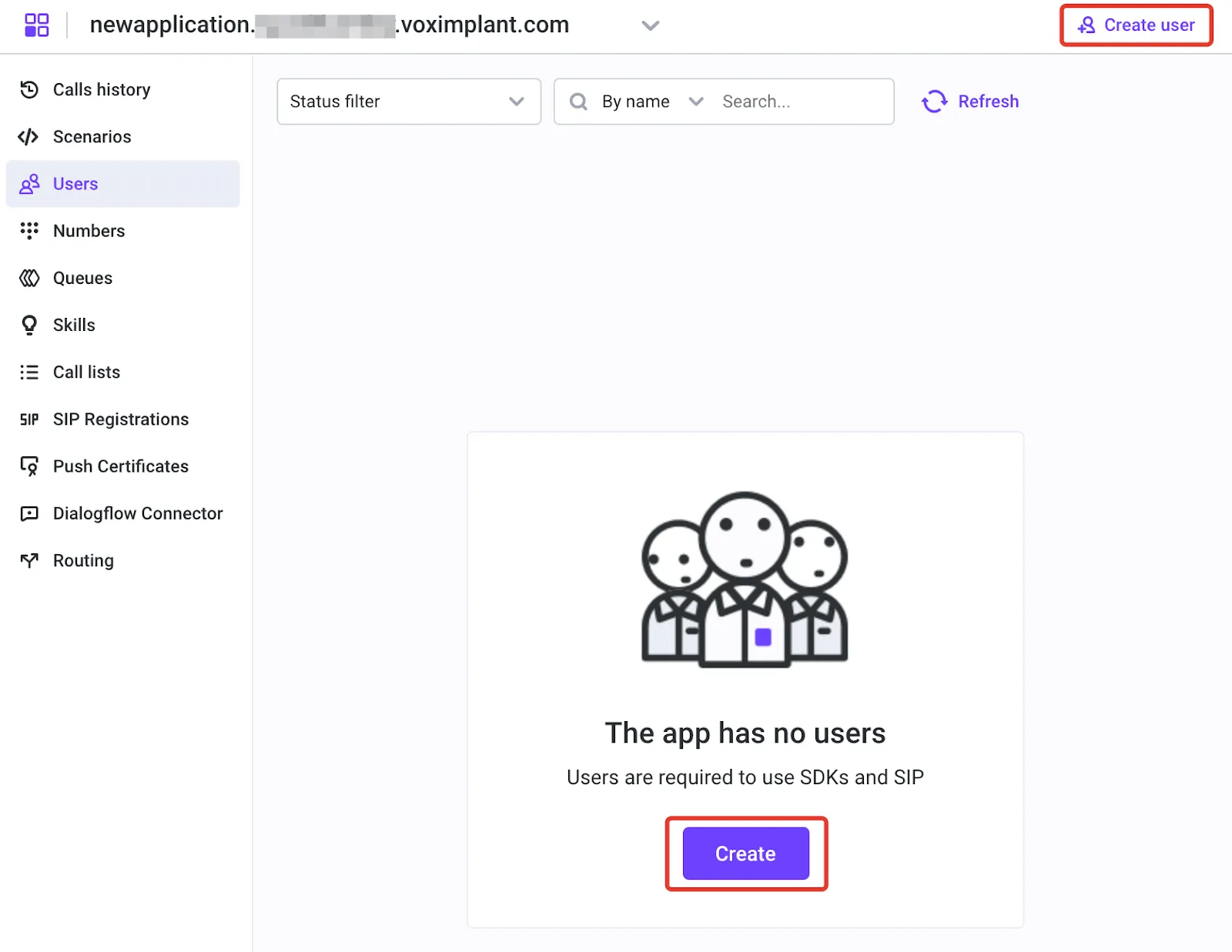
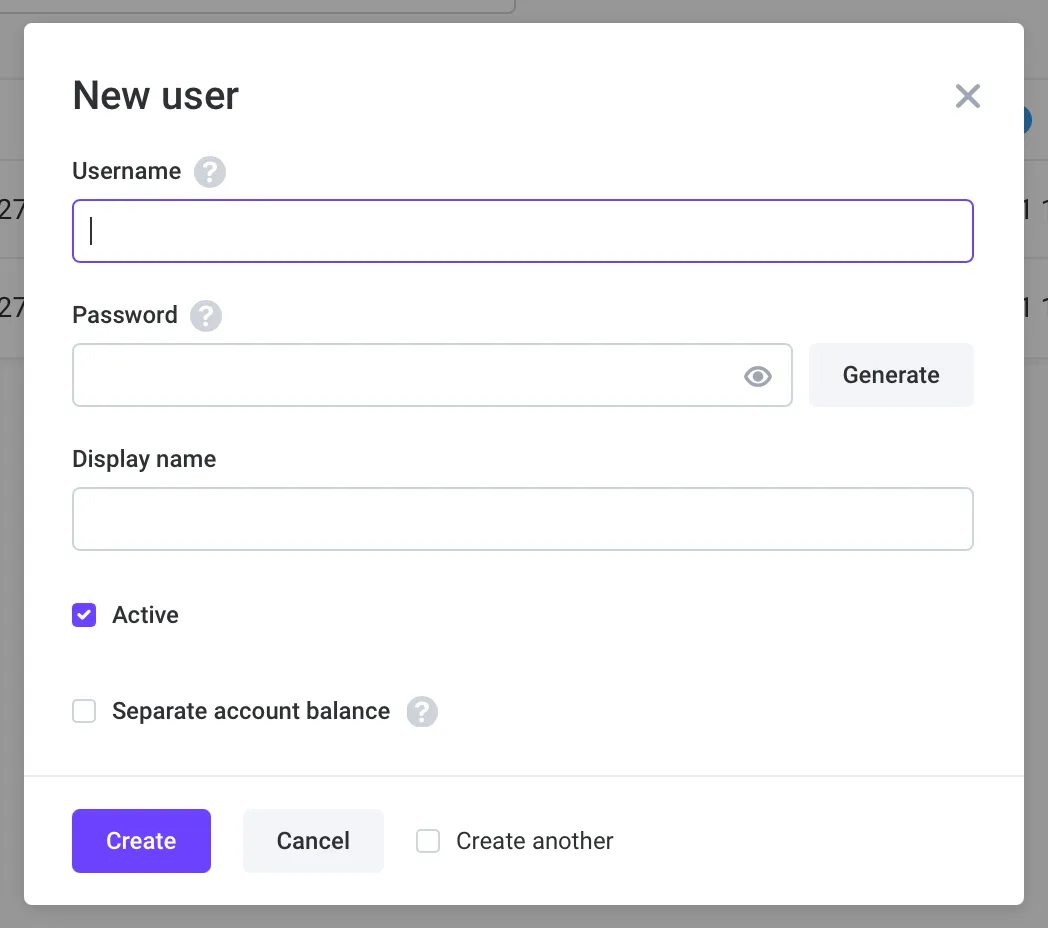
Voximplant’s Media Client SDKs need to be authenticated to a user. When you call a user, VoxEngine will direct media and signaling information to any SDK clients who are signed in under that user. Similarly, outbound calls initiated from the client SDKs are associated with the user identity, which can be used for routing and personalization in your Voice AI scenarios. You can create users in Control Panel or via Management API.
Users are scoped at the Application level, so you can have different users with the same username in different applications if needed.
Use user alias in routing
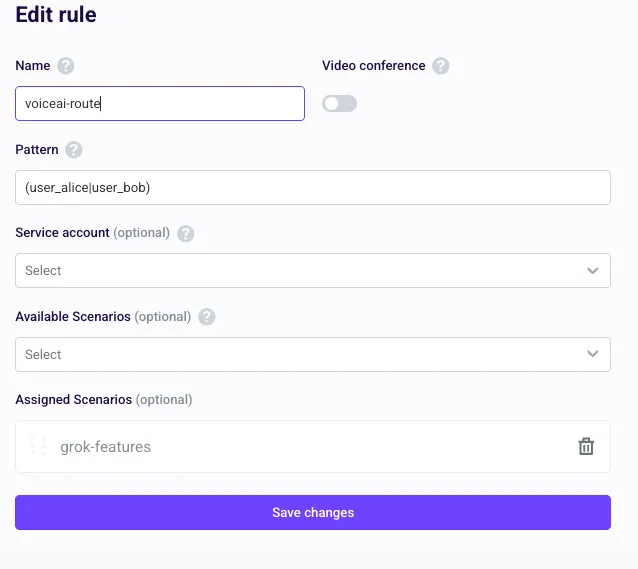
Route inbound app-user calls by alias to the target Voice AI scenario.
See Setup routing for rule pattern and scenario assignment details.
Outbound specifics
Use VoxEngine.callUser() to place outbound calls to Voximplant user aliases.
Working with users
Voximplant users and client SDKs support a wide range of use cases, but here are some best practices and additional features to consider when working with users:
-
Authentication and token lifecycle
Use token-based auth and refresh flows instead of storing passwords in client apps. More info: Renewable tokens, One-time key -
Online/offline presence
Track client connection and auth events, then handle reconnect paths before routing calls. -
User-to-user routing patterns
UseVoxEngine.callUser()for direct app-user calls, with fallback to SIP/PSTN/WhatsApp when needed. More info: VoxEngine.callUser, Outbound calling options -
Multi-device behavior
Expect one user identity to be active on multiple clients and design first-answer/fallback behavior accordingly. -
Push notifications for mobile users
Register device tokens and handle wake-up flows so incoming calls reach users while apps are backgrounded. -
Permissions and media setup
Request mic/audio permissions early and align call UX with platform-specific media constraints. -
Security and abuse controls
Restrict operational permissions with service-account roles, protect Management API access, and validate outbound destinations in app logic. More info: Management API authorization, Role system API, Initial Voximplant setup